Notice:
Transparency is important to me. Some of the links below are affiliate links.
If you choose to buy through them, I may earn a small commission at no extra cost to you.
I only recommend tools and hardware I have tested or actually use in my own workflow.
In my studio, the jump from a raw concept to a physical product or a sellable art print always starts with a sketch. Before I even think about firing up Vizcom for AI renders or turning on the 3D printers, I spend hours doing digital painting and illustration. High-quality illustrations and custom merch designs are the lifeblood of my business.
For a long time, I stuck to traditional non-display tablets just to keep my workspace clean. But when I upgraded my setup to a pen display, it fundamentally changed my workflow in Photoshop and Rebelle.
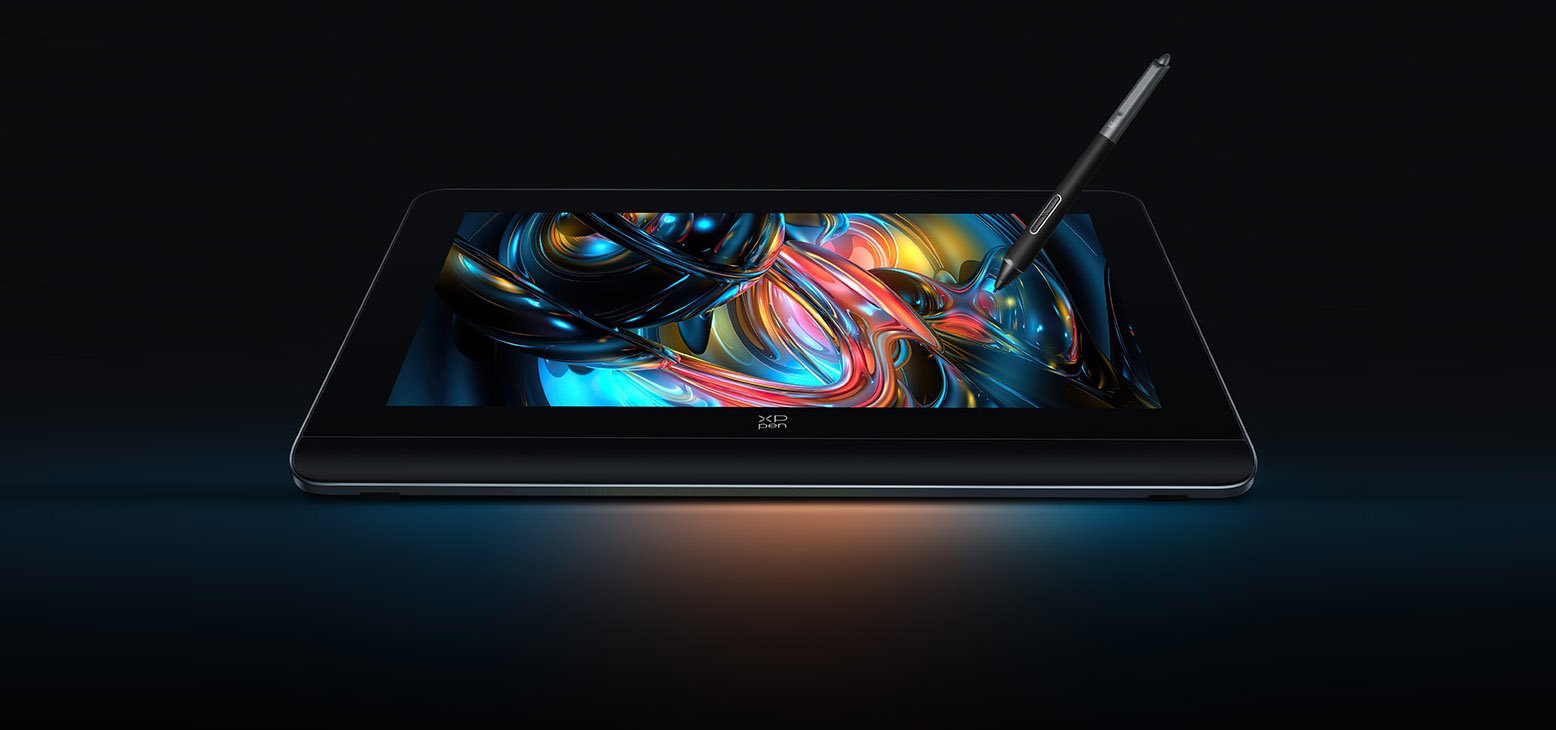
If you are a designer, illustrator, or creator focused on 2D digital art, you need a display that feels natural and gets out of your way. Compared to the previous generation (which I also owned), the XPPen Artist Pro 16 (Gen 2) feels like a massive step up.
Before we get into the deep dive, here is the bottom line:
Here is my no-fluff review of the tablet, how it actually feels to illustrate on it, where it shines, and where it falls short.
The Smart Makers Breakdown
| Feature | The Smart Makers Verdict |
|---|---|
| The Short Description | A premium 16-inch, 2.5K pen display that hits the sweet spot between high-end features and affordability. Perfect for 2D illustration workflows and keeping a minimalist desk. |
| The Pros |
|
| The Cons |
|
| Buy Now | |
The Out-of-the-Box Experience & Desk Setup
When you are running a business or managing a design team, you don’t have time for clunky hardware installations. The unboxing experience here is surprisingly premium.
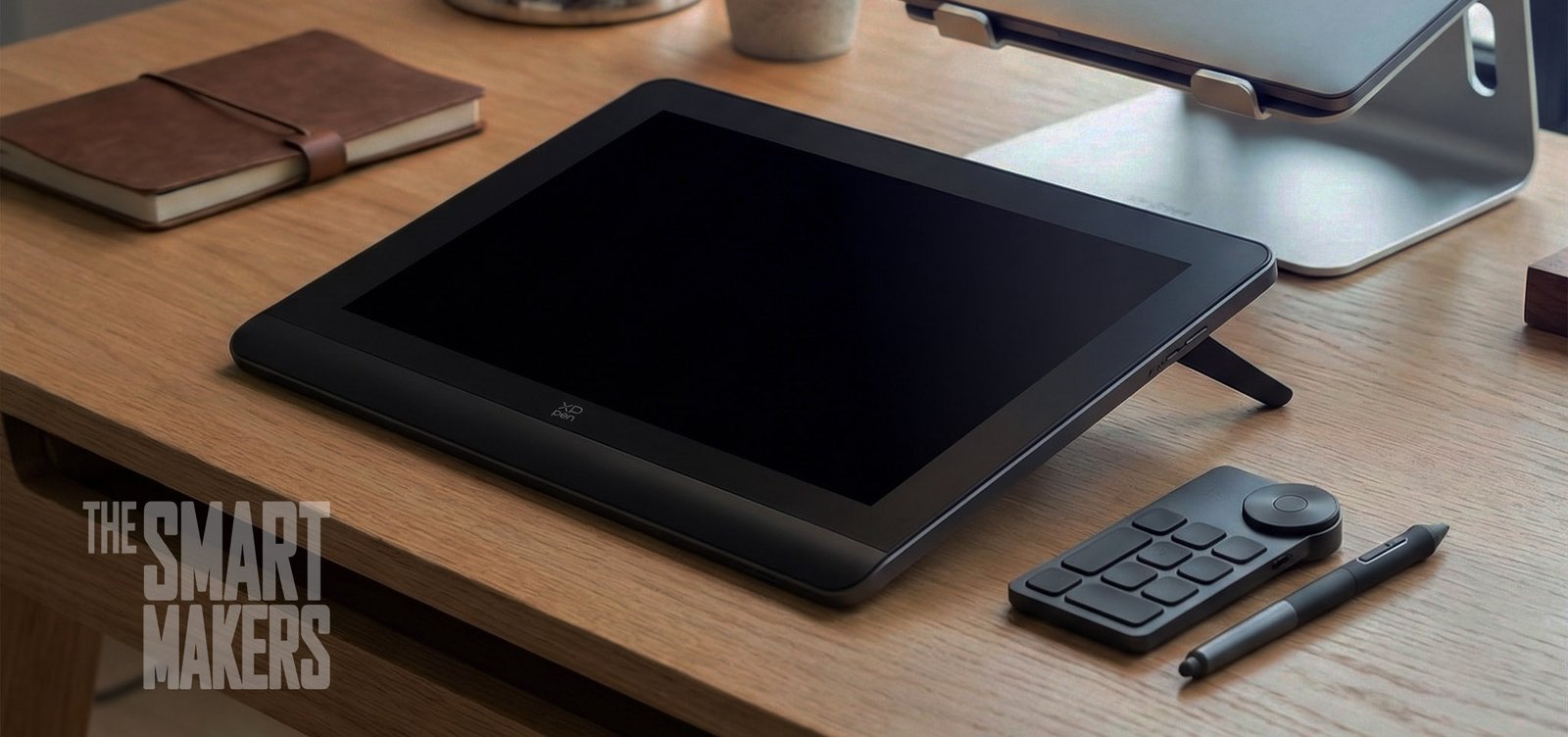
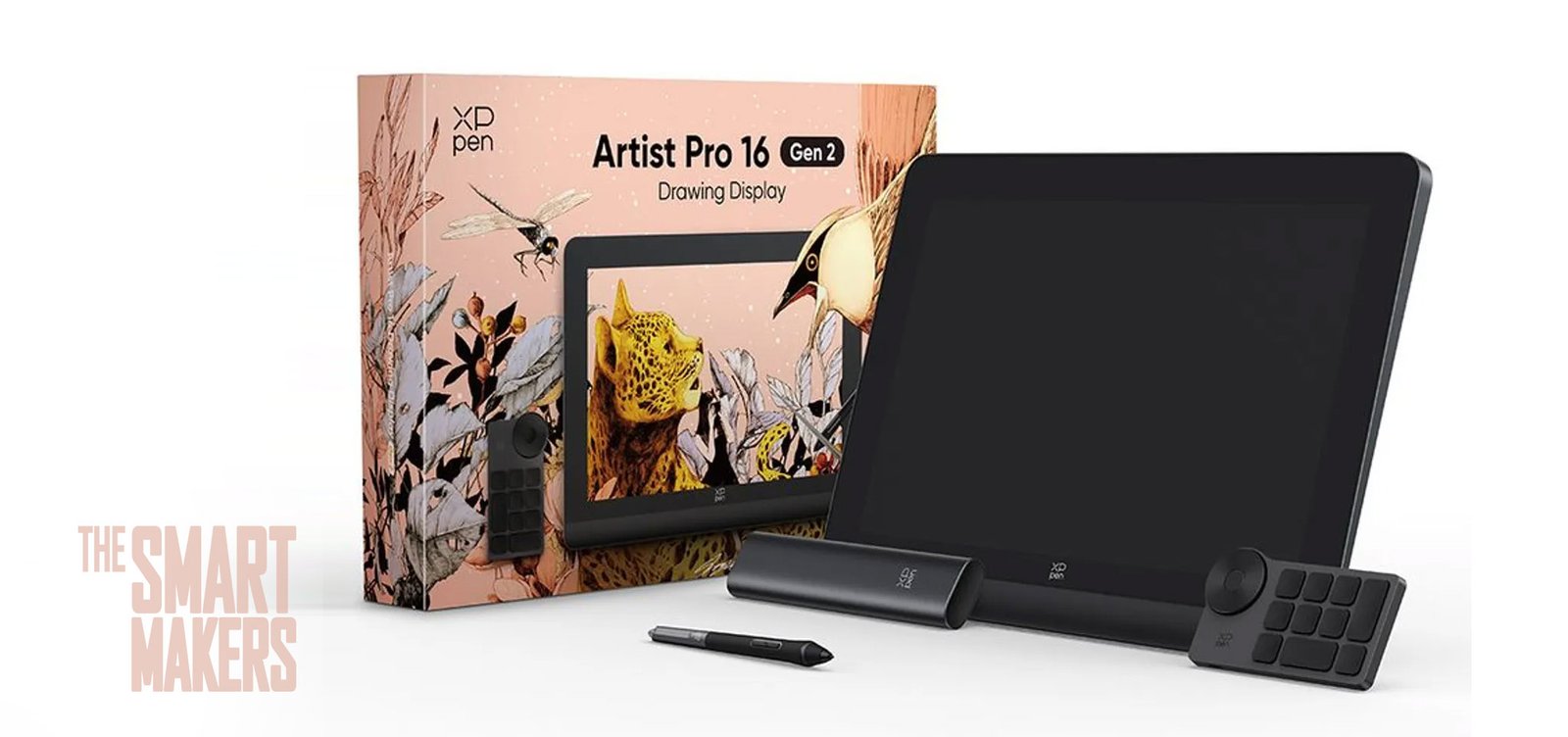
XPPen includes everything you need right out of the box, including a microfiber cloth, a drawing glove, and all necessary cables. The tablet itself features a sturdy metal frame and a wrist rest that feels incredibly solid. It is clean, modern, and has noticeably less plastic than its predecessor.
As a workflow hacker, my absolute favorite feature is the single-cable setup. You can connect the tablet directly to a modern laptop using just one USB-C to USB-C cable. This makes for a remarkably clean desk and makes it easy to pack up and take to a coffee shop or a client meeting.
The Drawing Experience: Photoshop & Rebelle
When you are blending watercolors in Rebelle or doing precise line art in Photoshop, the physical feel of the screen is everything.
The display is a fully-laminated 16-inch screen with a 2560 x 1600 resolution (a 16:10 aspect ratio), which gives you fantastic vertical headroom for your toolbars. The screen features an anti-glare matte finish that works flawlessly even in bright studio lighting. More importantly, it features eye-care technology that reduces blue light, minimizing eye fatigue during long rendering sessions.
The texture is the real winner here. It strikes a perfect balance, it has a paper-like friction that gives you control over your strokes, completely avoiding the ultra-slippery glass feel of some competitors like the Huion Kamvas Pro 16.
The new X3 Pro Smart Chip Stylus boasts 16,384 (16K) levels of pressure. While that sounds like a marketing gimmick, in practice, it means the pen is hyper-responsive to fine brush strokes. You don’t have to press hard to get thick lines, which saves your hand from cramping and drastically reduces wear and tear on the screen and nibs. It even has a built-in eraser on the top, which is a massive workflow speed-boost.
The Good: Where the Tablet Shines
Based on hours of daily illustration, here is where the XPPen Artist Pro 16 (Gen 2) earns its keep:
- The Goldilocks Size: At roughly 16 inches, it hits the absolute sweet spot. It feels natural, very close to an A4 piece of paper, making it easy to find a place for it on your desk while still providing a massive, immersive canvas for visuals.
- Exceptional Color and Resolution: The 2.5K display looks incredibly crisp. While I don’t measure color gamut in a scientific lab, the colors look rich, natural, and accurate enough for high-end digital painting and print preparation.
- The X-Remote Control: Instead of putting quick keys on the tablet bezel, XPPen moved them to a separate wireless X-Remote Control. It features a roller dial and 10 programmable keys. At first, having a separate remote felt «different,» but once you build the muscle memory, it feels fantastic to place it wherever your left hand naturally rests. Plus, the battery lasts forever.
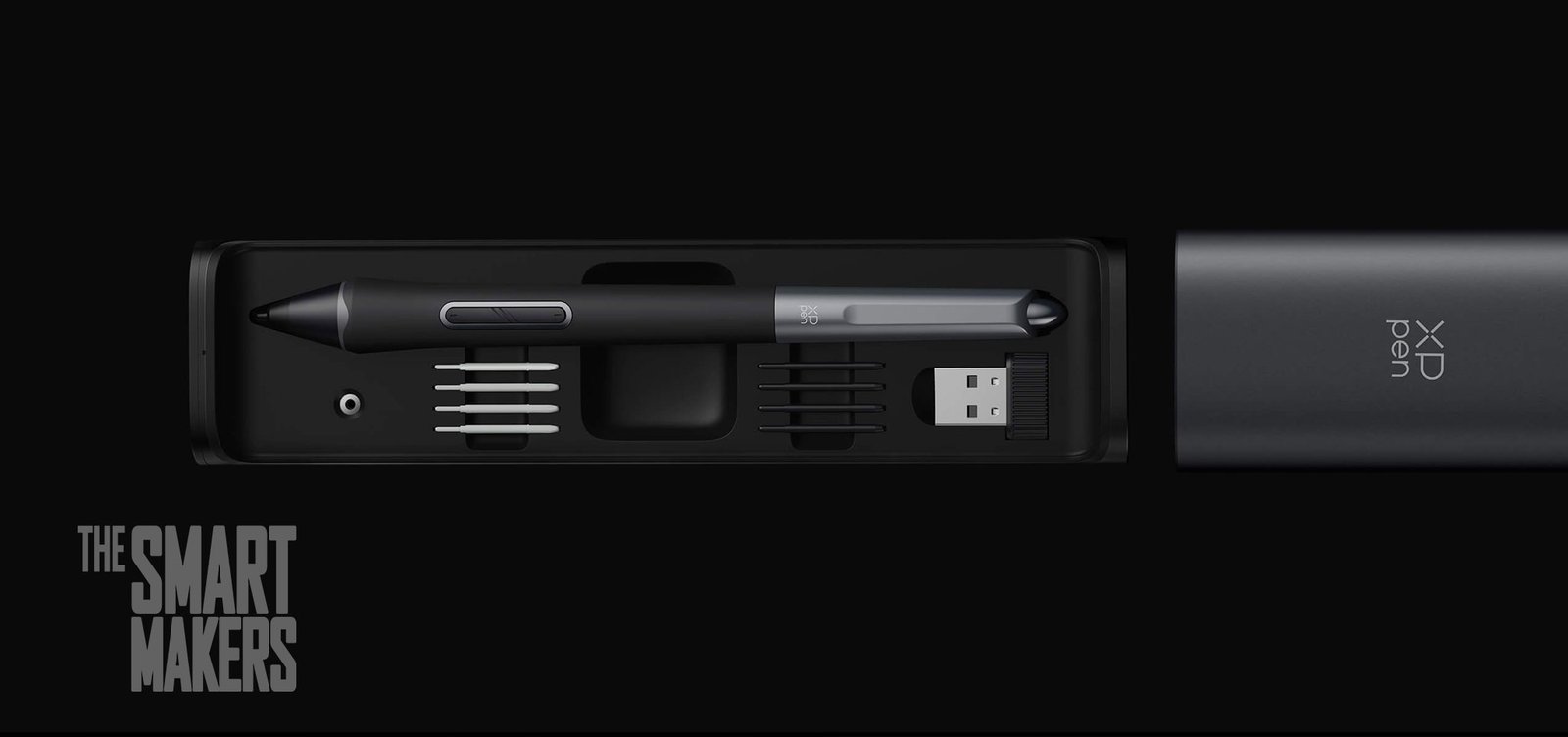
- The Premium Stylus Case: The pen comes in a sleek metal case with a satisfying clickable lock that slides out to reveal the stylus, spare nibs, and a built-in nib extractor.
- The Price: Selling for around $599.99 – 599.99€ (and often heavily discounted), the value-to-performance ratio is simply unbeatable.
The Not-So-Good: The Friction Points
Nothing is perfect. During my deep-dive illustration sessions, a few friction points stood out:
- Remote Button Tactility: While the wireless remote is a great feature, the buttons feel a bit generic. They desperately need distinct tactile bumps or textures so you can know exactly which button your finger is resting on without breaking focus to look down at your desk.
- Pen Ergonomics: The pen is comfortable, but I prefer a more pencil-like profile. If it were slightly thinner, closer to the Apple Pencil, it would help nail that ultimate, natural drawing feel.
- Limited Stand Angles: The tablet has fold-out feet that prop it up at a 60-degree angle. However, there are no other angle options built-in, and it lacks a VESA mount for monitor arms. If you suffer from neck pain, you will likely need to buy a separate, adjustable stand.
- The Unknowns of Long-Term Support: XPPen is a massive brand, but they don’t quite have the legacy enterprise support of Wacom. If a driver breaks or the hardware fails a year from now, their customer service responsiveness remains an unknown variable for me.
Main Competitors: How Does It Stack Up?
If you are shopping in this tier, you are likely looking at a few other options. Here is how the XPPen compares:
- Huion Kamvas Pro 16 (2.5K): This is the most direct competitor, sitting at a similar price point. The Huion has a great screen, but its surface is notoriously smooth and slippery. If you want a paper-like bite to your brush strokes, the XPPen is better. Huion also keeps its shortcut buttons on the tablet itself, which you may prefer if you hate wireless remotes.
- Wacom Cintiq 16: The industry standard. However, the base Cintiq 16 only has a 1080p screen and standard 8K pressure levels. You are paying a premium for the Wacom brand name, durability, and customer support, but you are sacrificing screen resolution and modern features.
- XPPen Artist Pro 16TP: If you absolutely need multi-touch controls to pinch and zoom with your fingers (the Gen 2 does not have touch controls ), the 16TP model offers touch, though it usually costs a few hundred dollars more.
The Final Verdict
For illustrators, 2D designers, and e-commerce creators, the XPPen Artist Pro 16 (Gen 2) is a powerhouse. It delivers a premium drawing experience, phenomenal colors, and a streamlined desk setup that completely gets out of your way so you can focus on creating.
If you can live with the limited built-in stand and the lack of tactile bumps on the remote, this is one of the best investments you can make for your digital studio this year.
Ready to upgrade your illustration setup? Check it out here: XPPen Artist Pro 16 (Gen 2)
And if you are looking for a software to make the most of this new tablet, try out Rebelle 8, I am honestly in love with it.
About the Author: I am a professional Industrial Designer, e-commerce entrepreneur, and design team manager. With over 20 years of experience bridging the gap between sketching, CAD, and manufacturing, I now explore how Artificial Intelligence is reshaping the way we build physical and digital products.