
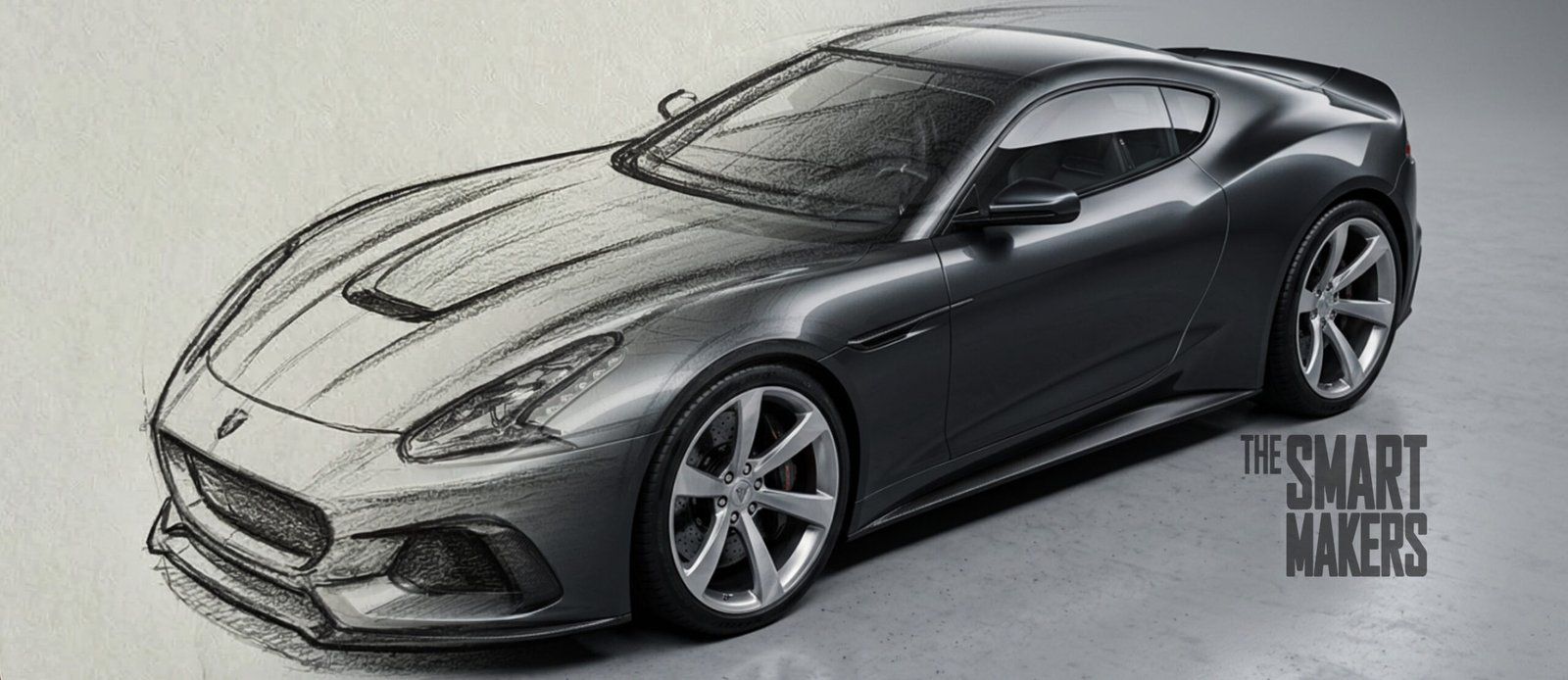
The Bottom Line: Vizcom is a great AI rendering tool for industrial designers and physical product creators in 2026. Unlike Midjourney or Gemini, which generates random concepts, Vizcom respects your specific design. However, its 3D generation features are still too basic, and the highly restrictive free tier means you will need to pay the $49/month Professional subscription to use it for serious studio work.
It was 4 PM on a Thursday. My industrial design team and I were staring down an impossible concept presentation scheduled for the next morning. We had the CAD block-outs and some rough ideation sketches, but nothing worthy of a deadline presentation with product managers and directors.
Normally, this is where we’d brew another pot of coffee and prepare for some extra hours of brutal KeyShot rendering and Photoshop compositing. Instead, I opened up Vizcom. Within 45 minutes, we had a slide deck packed with incredibly detailed, context-rich renders that perfectly matched our specific geometry. We went home at at respectable hours. We won the pitch the next day.
As a design director bridging the gap between traditional industrial design and the future, I worried AI tools were just “slot machines” for pretty, but ultimately unmanufacturable, pictures. But that deadline was my lightbulb moment.
If you are an industrial designer, creator, or physical product entrepreneur, this is my unfiltered, hands-on review of Vizcom in 2026. Here is how I actually use it in my studio, where it saves my team hours of rendering and ideation, and where it still falls completely flat.
Vizcom at a Glance: The Core Features
Before we dive into the workflows, here is a quick breakdown of what the platform actually does.
- Sketch-to-Render: Turns rough 2D line work (napkin sketches, iPad doodles, whiteboards) into photorealistic concepts in seconds.
- The “Modify” Tool: Allows you to iterate on specific materials, colors, and lighting without altering your original geometry.
- 3D Generation: Converts 2D sketches into workable (albeit basic) 3D meshes for spatial reference.
- Animation Block: Generates short, dynamic video clips of your static renders in motion.
- Layering System: A familiar, Photoshop-style interface to control AI influence on specific parts of your image.
Why I Came Back to Vizcom (And Why It Clicked in 2026)
I actually tried Vizcom several years ago during its early days. It was good, but I ended up leaving it aside because it felt too chaotic for production work. But when I picked it back up earlier this year, I was genuinely blown away by the new functionalities and the overall quality of the outputs.
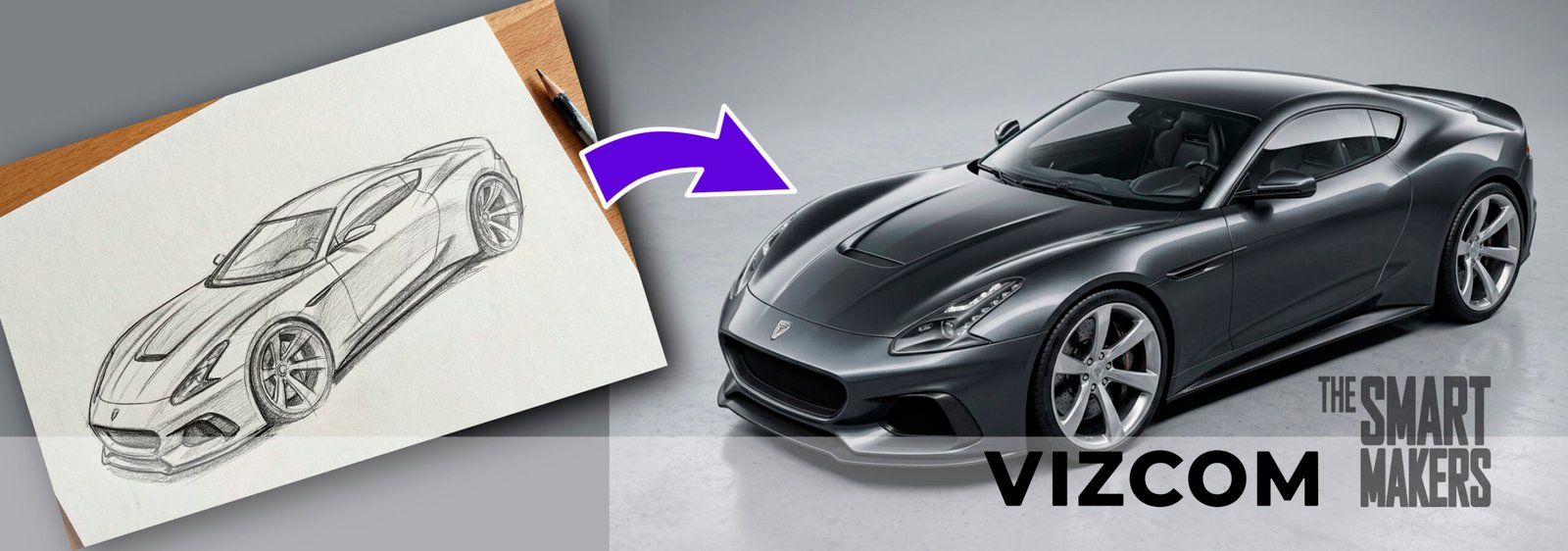
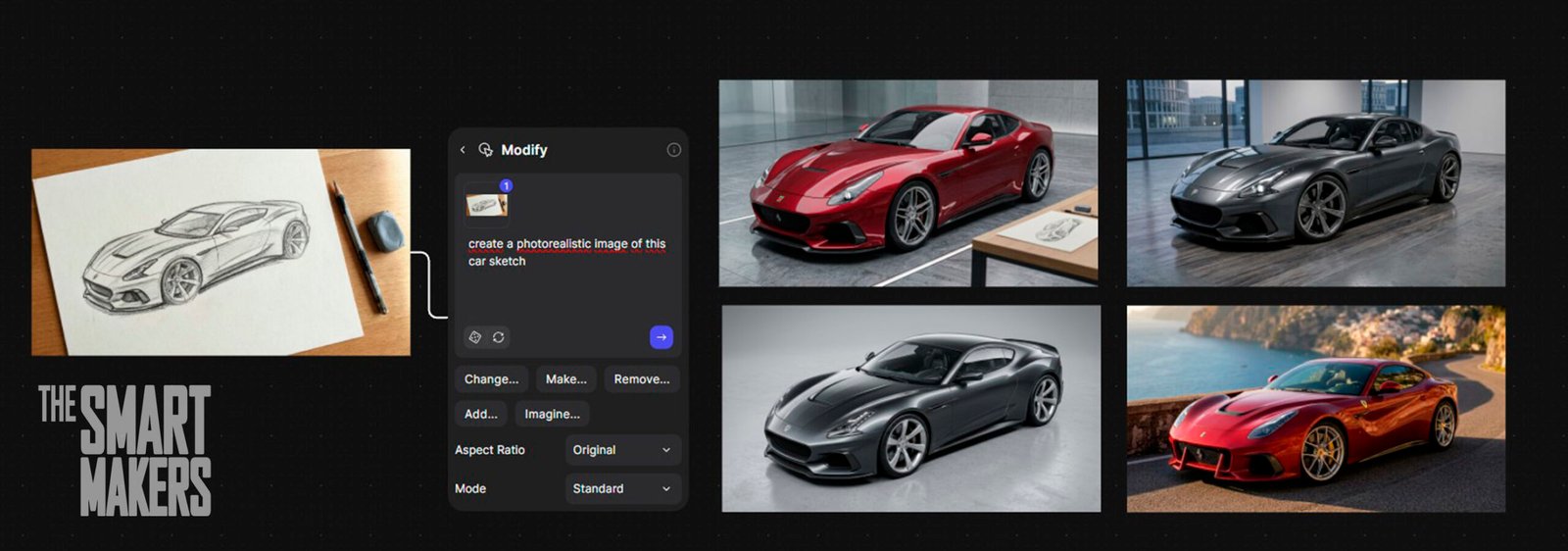
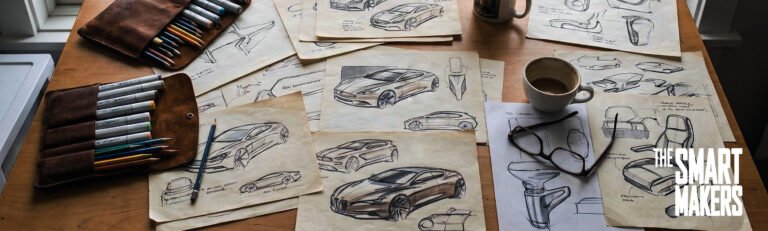
To test its current limits, I dug into my physical archives and pulled out an old, dusty car sketch I did with markers and Copics back in 2012. I snapped a photo, fed it into Vizcom, and added a quick text prompt.
In seconds, the AI breathed life into a 14-year-old drawing. It didn’t just spit out a generic sports car; it retained the aggressive stance I had originally envisioned, and the exact character lines of the fascia, but applied 2026-level photorealistic automotive paint and studio lighting. It was like hiring a world-class visualization expert to sit next to my desk.
The Pros and Cons
To give you the most objective view of how this tool performs under the pressure of a real-world design studio, here is the breakdown of its strengths and weaknesses.
| The Pros (Why I Use It) | The Cons (Where It Frustrates Me) |
|---|---|
| Massive Time Savings: Turns hours of KeyShot/Photoshop work into a 10-minute task. | Reference Drifting: The AI frequently ignores fine details or specific line weights. |
| Respects Geometry: Using the «Modify» tool keeps your actual design intact better than competitors. | Basic 3D Outputs: The 2D-to-3D meshes are too messy for actual CAD engineering. |
| Rendering: Excels at taking flat 3D block-outs and adding complex environments and lighting. | Strict Free Tier: Free credits burn out instantly if you test animations or 3D features. |
| Iterative Velocity: Allows you to explore 50+ color/material variations in one sitting. | Cloud Dependency: Requires a strong internet connection; no offline mode for workshop use. |
My 3 Go-To Vizcom Workflows
Most beginners log into Vizcom, upload a napkin sketch, hit the default “Render” button, and cross their fingers. That is the fastest way to get generic results. If you want to use AI for industrial design professionally, you need a system. Here are the three workflows my team relies on daily.
1. The “Modify” Masterclass (Stop Using Default Styles)
When you use the basic render styles, Vizcom tends to take creative liberties with your design. If you are a professional, you are the guardian of good taste, you cannot let the AI make structural decisions for you.
I have found far better results using the “Modify” function rather than the generic render filters. The Modify tool respects the original design intent and constraints of your sketch while allowing you to iteratively tweak materials, colors, and lighting. It keeps the “soul” of your linework intact rather than over-rendering it into something unrecognizable.
2. The Blender-to-Vizcom Pipeline
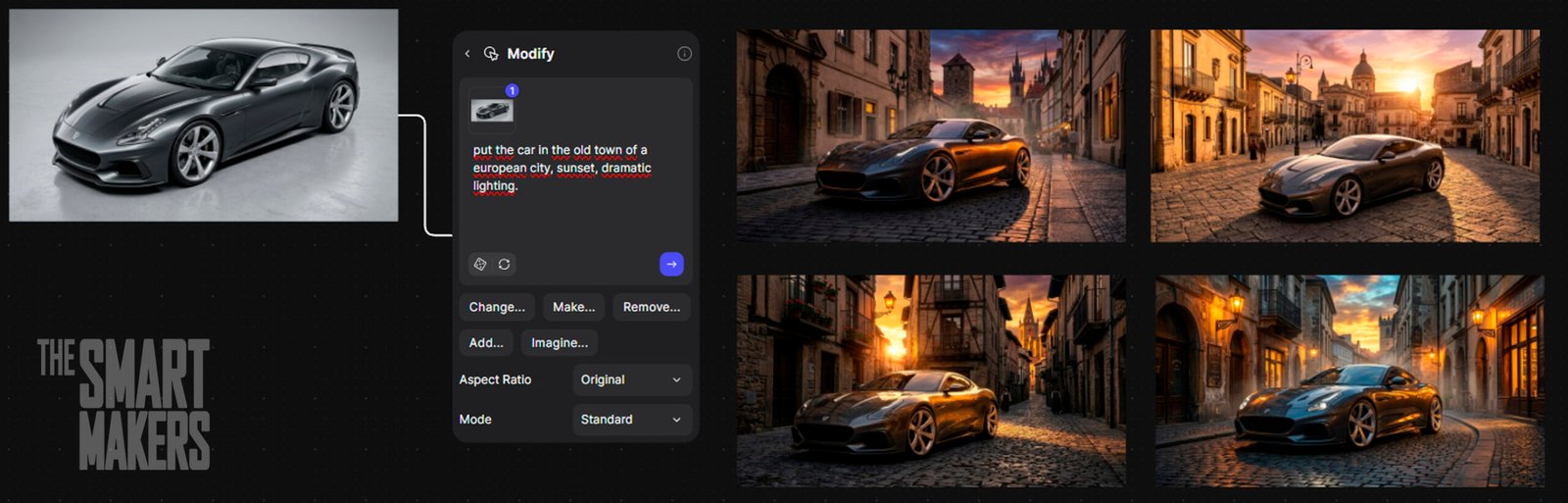
This is currently my favorite hack for rapid visualization. Recently, I created a hard-surface car design in Blender. Instead of spending five hours setting up HDRI lighting, dialing in complex node-based materials, and waiting for Cycles to render, I exported a simple, flat-lit 3D block-out.
I brought those basic renders into Vizcom, and the results were staggering. Because the AI had perfect geometric proportions from the 3D model, it kept my original design 100% accurate. I used text prompts to apply different environments: first putting the car on a sun-baked race track, then shifting to an autumn sunset, and finally placing it on a rainy city street at night. It completely eliminated hours of Photoshop backplate compositing and heavy rendering time.
3. Instant Animations and Drifting Cars
Presenting static images to clients is standard, but motion sells the dream. Vizcom’s newer animation features (using the Animate block) are incredibly fun and surprisingly effective.
Taking that same car render, I was able to generate short, dynamic video clips of the car in movement, drifting around the race track with motion blur and shifting reflections. It is not going to help you sell your new cool car design, but for us as designers, it is just fun and rewarding seeing our designs come to life.
The Reality Check: Where Vizcom Still Frustrates Me
I promised zero fluff, so let’s talk about the bad. Vizcom is a massive accelerator, but it is not magic, and it is far from perfect. If you are integrating this into a fast-paced studio, you need to navigate these roadblocks:
- Reference Drifting is Real: Vizcom still struggles with memory loss. Quite frequently, it simply forgets the image reference or ignores the nuances of my original render. In my experience, if you generate a batch of 4 variations, probably only 2 will actually be useful and accurate to your design. You still have to play the numbers game.
- The 3D Generation is a Gimmick (For Now): Vizcom has heavily touted its 2D-to-3D generation features. While it is undeniably cool to see a sketch turn into a manipulatable mesh, the resulting 3D models are still quite basic. They are entirely useless for actual CAD engineering or manufacturing. They are fine for a quick spatial reference, but you will still be rebuilding the product from scratch in SolidWorks, Rhino, or Shapr3D.
- The Free Tier is a Trap: Vizcom’s free tier used to be generous. Now, it operates with heavily reduced credits. If you want to play with the animation features, high-res upscaling, or 3D generations, your credits will vanish instantly. If you plan to use this for commercial work, factor the paid subscription into your overhead immediately.
Vizcom Pricing in 2026: Is It Worth the Overhead?
Let’s address the elephant in the room: the paywall. Vizcom’s free tier used to be generous, but today, it is essentially just a trial.
If you try to use the free tier for client work, your credits will vanish instantly, especially the second you touch the high-res upscaling, 3D generation, or animation tools.
To use this properly, you need the Professional Tier, which runs around $49 per user/month (or slightly less if billed annually).
Is it worth it? For a professional studio or a freelancer billing for design time, absolutely. If Vizcom saves you just two hours of Photoshop compositing or KeyShot rendering time in a single month, the software has paid for itself. It is a necessary overhead expense in 2026. If you are a student or a casual hobbyist, however, that $49/month might sting.

Who is Vizcom Actually For?
To clear up the confusion, here is exactly who should (and shouldn’t) be using this software.
Best For:
- Industrial Designers & Concept Artists: Looking to iterate rapidly and present photorealistic concepts without spending hours in rendering engines.
- E-commerce Entrepreneurs: Needing quick lifestyle mockups of product prototypes for landing pages.
- Footwear & Automotive Designers: The AI is specifically tuned to understand the complex surfacing and material finishes of these industries.
Not For:
- Mechanical Engineers: If you need exact tolerances, manufacturable specifications, or STEP files, this tool will not help you.
- Graphic Designers: It struggles heavily with typography, branding placement, and precise 2D vector layouts.
Midjourney vs Vizcom: Which Should You Use?
The question I get asked most by junior designers is whether they should use Midjourney or Vizcom.
Here is the definitive answer for 2026: Midjourney is for mood boards; Vizcom is for your geometry.
Midjourney and Stable Diffusion are incredible for the “fuzzy front end” of design, exploring blue-sky concepts, generating abstract textures, and establishing a vibe. But they are uncontrollable. If you have a specific chamfer, a precise ergonomic grip, or a strict mechanical package, Midjourney will destroy it. Vizcom is purpose-built to take your specific lines, your CAD block-outs, and your proportions, and simply visualize them better and faster.
Vizcom vs. The Rest of the AI Landscape
If Midjourney is for mood boards, what about the tools that actually try to compete with Vizcom’s sketch-to-render capabilities? Here is how Vizcom stacks up against the other heavyweights in my studio:
- Vizcom vs. Stable Diffusion (ComfyUI / ControlNet): Stable Diffusion is the only tool that can match (or beat) Vizcom for strict geometric control. But here is the reality: Stable Diffusion requires a massive local GPU, a steep learning curve, and hours of wrangling node-based spaghetti in ComfyUI. Vizcom packages that same level of control into a beautiful, cloud-based UI. I gladly pay the $49/month to avoid the headache of managing Python environments.
- Vizcom vs. Krea AI: Krea is phenomenal for real-time rendering. If you are sketching live on an iPad and want to see the render update instantly as you draw, Krea is the winner. However, I find Vizcom produces much higher-fidelity, professional-grade final outputs when I need to actually present to a client.
- Vizcom vs. Adobe Firefly: Firefly is great for graphic designers and generates commercially safe assets, but it severely lacks the spatial awareness and structural understanding of 3D forms that physical product designers need. It simply doesn’t understand industrial design yet.
The Verdict: Is Vizcom Worth the Upgrade in 2026?
For industrial designers, physical product creators, and e-commerce entrepreneurs developing custom goods, Vizcom is arguably the most disruptive tool to hit our workflow since the transition from marker paper to CAD.
Yes, the 3D models are basic, and yes, the AI will occasionally ignore your linework. But the sheer velocity it provides during the iteration and presentation phases is unmatched. It allows you to explore 50 variations of a product in the time it used to take to render just one.
AI will not replace industrial designers. Emotional intelligence, physical intuition, and an understanding of manufacturing realities are things an algorithm cannot replicate. But designers who use AI tools like Vizcom to eliminate administrative bottlenecks will absolutely replace the designers who refuse to adapt.
🛠️ The Maker Tip
Want perfect automotive reflections in Vizcom? Stop relying solely on text prompts. Use the application’s built-in layering system to sketch a quick, bold white line exactly where you want the primary horizon reflection to hit the body of your product. Set the AI influence slightly lower, and use the “Modify” tool. The AI will use your crude white line as the exact boundary for the studio lighting reflection, giving you total control over the surface surfacing.
Until next time, keep making.
About the Author: I am a professional Industrial Designer, e-commerce entrepreneur, and design team manager. With over 20 years of experience bridging the gap between sketching, CAD, and manufacturing, I now explore how Artificial Intelligence is reshaping the way we build physical and digital products.
- The 2026 iF Design Awards Prove We Are No Longer the Benchmark (And That’s a Good Thing)
- Why I Don’t Care Where You Went to Design School
- The Reality of the “Dream Job”: Is Industrial Design Still Worth It?
- Designing the Antidote: How Societal Exhaustion is Shaping the Next Era of Industrial Design
- 6 Jaw-Dropping Hardware Drops from MWC 2026







Hi would you mind letting me know which web host you’re using?
I’ve loaded your blog in 3 different internet browsers and I must say this blog loads a lot quicker then most.
Can you suggest a good web hosting provider at a fair price?
Thanks a lot, I appreciate it!